 PadConsole
The technology that turns your phone into a real game controller
Updated:
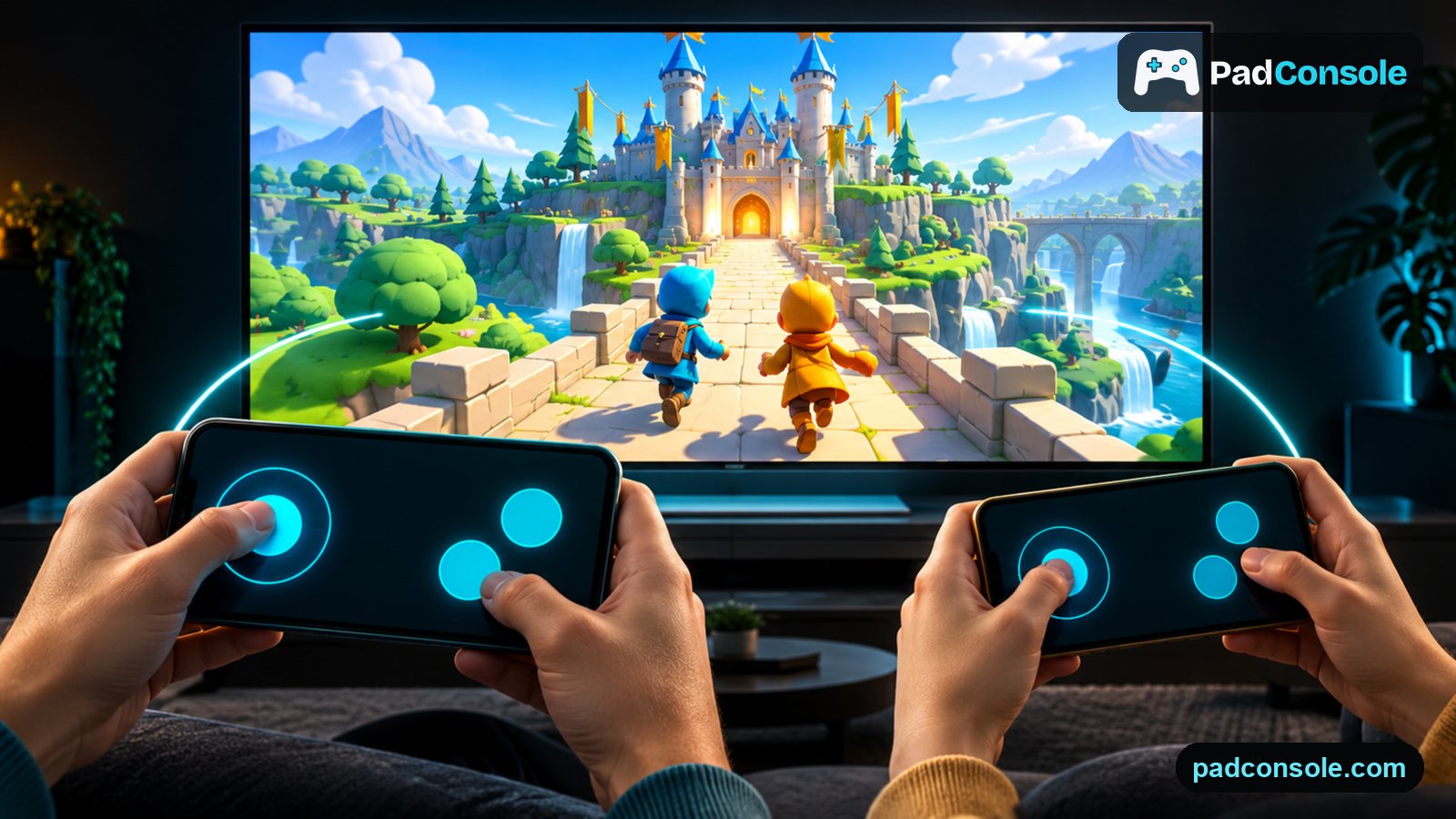
On padconsole.com the phone is not just a touch remote: it is designed to feel like a gamepad in your hands. Every game has its own controller layout, every event has its own vibration, hits and rewards show up as light on the edge of the screen in the game's colour, and in racing you can turn the phone like a steering wheel. Button positions, sizes and vibration timings were shaped by hundreds of trials, automated tests and real game nights on everything from small phones to tablets. The goal is simple: while you watch the screen, you should never have to think about your phone.
What we build into the controller
A controller made for each game
Pass, shoot and slide in football; a D-pad, kick, punch and block in a fighting game; two sticks and four abilities in a space battle. Each controller is drawn in its game's own language and look, instead of squeezing every game onto one generic button set. The same team makes the game and the controller, so the event on screen and the reaction in your hand are designed together.
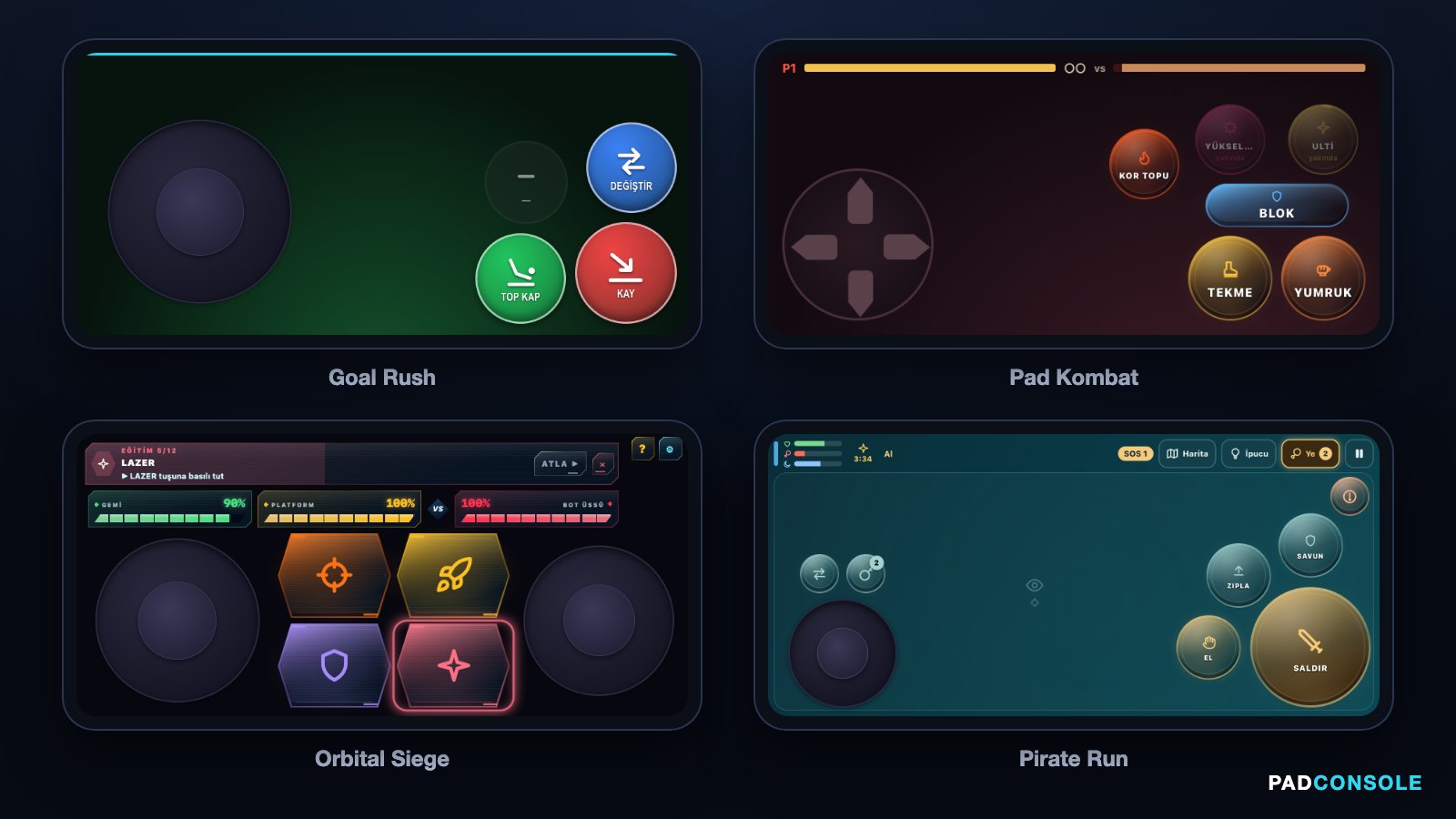
Real phone controllers from four games: Goal Rush, Pad Kombat, Orbital Siege and Pirate Run Laid out for your thumbs
Movement always sits under the left thumb, the most-used button sits where the right thumb rests and is the biggest. Rarely used buttons move to the edge, out of reach of accidental taps. Layouts were checked screen size by screen size, from 320-pixel phones to tablets; on narrow screens the spacing is kept rather than shrinking the buttons.
Run and attack at the same time
On a real gamepad you push the stick while pressing a button. On a phone that doesn't happen by itself: touches can cancel each other. Our controllers track every finger separately, so you can hold buttons while dragging the stick, and a long press is told apart from a tap.
A vibration language for events
Vibration is a language for us, not an effect. A menu choice is a short, crisp tick; a heavy hit is deep and long, a parry is two sharp metal clinks, a win is a rising celebration. Only one vibration plays at a time and the most important one wins, so the phone doesn't buzz nonstop in a busy scene. Timings are tuned millisecond by millisecond: responsive, not excessive.
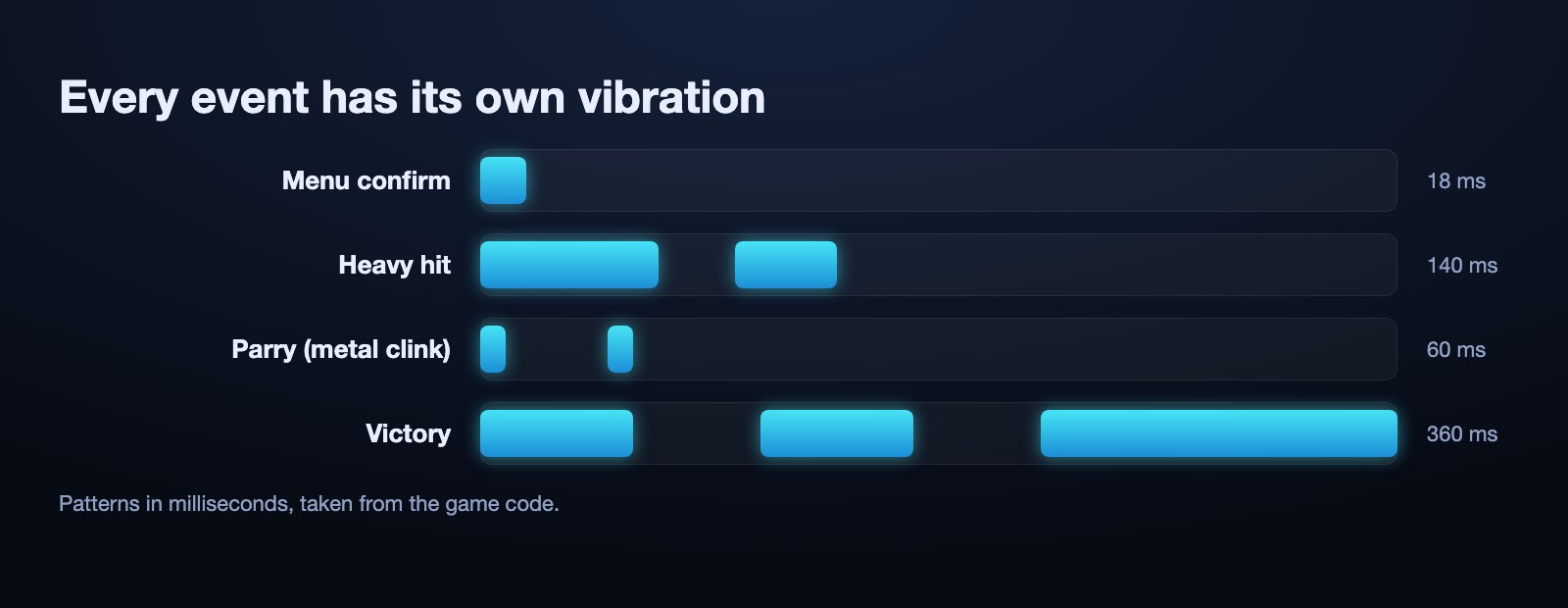
Vibration patterns for four events: menu confirm 18 ms, heavy hit, parry and victory Edge lights for visual feedback
Even if you don't feel the vibration, you see what happened. Take a hit from the left and the left edge of the phone glows red; win, and the whole frame lights up in the game's colour. The light arrives as a soft ellipse and never covers the buttons. In hidden-role games like IMPOSTOR everyone gets the same colour, so no one's role is given away.
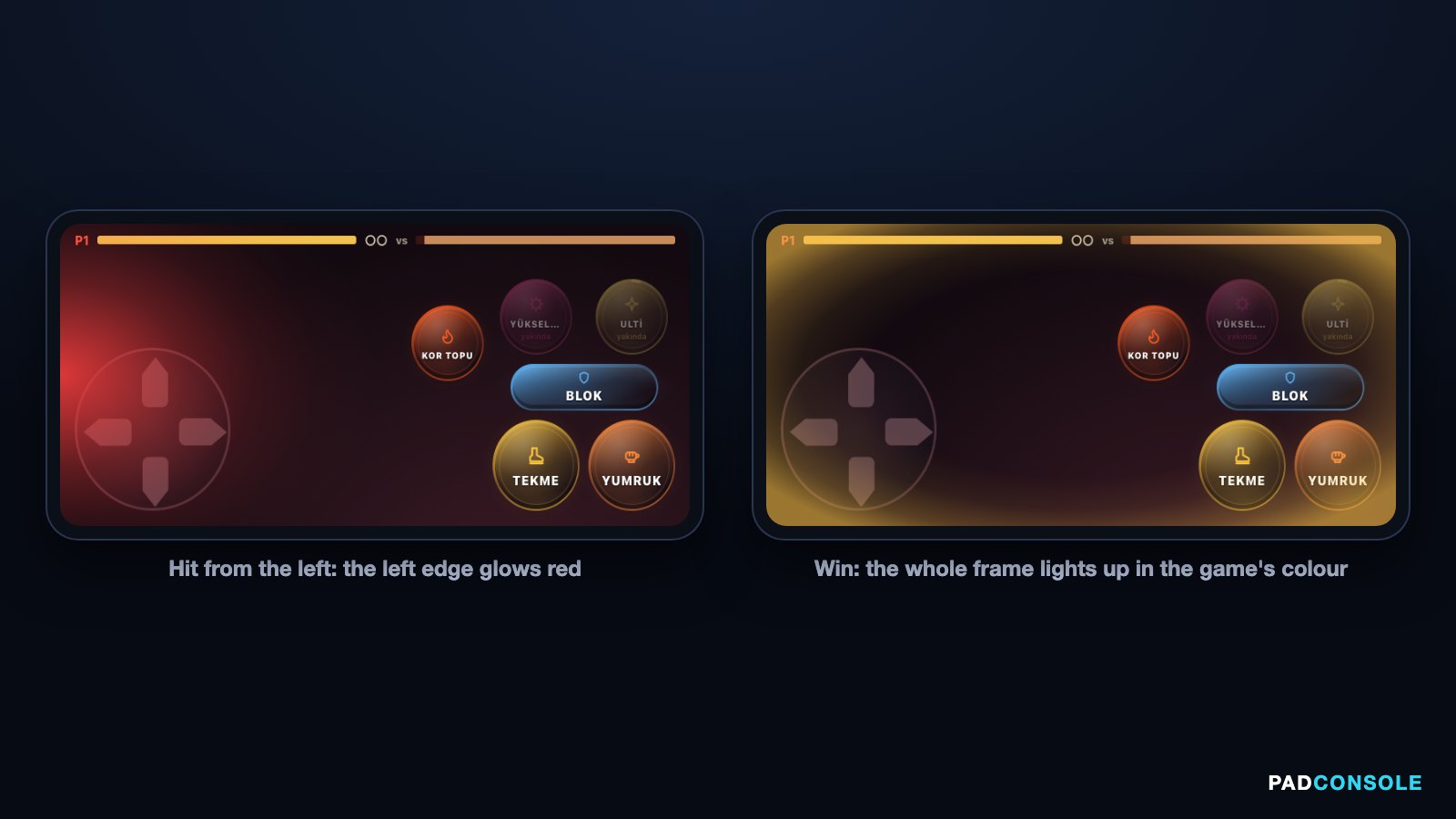
Edge light: the left edge glows red on a hit from the left, the whole frame glows on a win Turn the phone like a steering wheel
In Pad Racer you can drive with the gyroscope instead of the stick. A four-step calibration learns your comfortable turning angle, and a filter removes hand shake without adding delay. Holding the phone upright or tilted, iPhone or Android: the direction stays the same.
A connection built for low latency
When the phone and the screen are on the same Wi-Fi, data travels directly between them instead of through a distant server. In our October 2026 measurements typical latency on home networks was 15–30 milliseconds. If the phone locks or the connection drops for a moment, you come back as the same player, in the same seat.
No install, portrait menus, landscape games
The controller opens in the phone's browser; the app is optional. You hold the phone upright in menus, and only landscape games ask you to turn it. Vibration can be switched off with one tap.
How we got here
- Real game nightsWe played with groups of friends and noted every moment someone got stuck, pressed the wrong button or didn't understand.
- Screen by screenEvery controller was checked on small phones, large phones and tablets, in portrait and landscape screenshots.
- Automated testsVibration patterns, priorities and gyro maths are re-tested by hundreds of automated tests on every change.
- Real devicesVibration can only be judged in the hand, so timings were tuned on iPhone and Android phones one by one.
How it works (1 minute)
- Open the screenOpen padconsole.com in a browser on a computer, smart TV or tablet. A laptop on the TV over HDMI works best.
- Scan the QR codeEveryone scans the QR code with their phone camera. The controller opens in the browser; iOS and Android apps are optional.
- Pick a gameBrowse the menu from your phone and start. Everyone in the room, and friends in other homes, can join the same game.